AR Business Card
A Custom Web XR Experience To Showcase my Robotic Projects
My Journey into Web-Based AR
I’m particularly proud of this project because it marks my entry into the fascinating world of augmented reality, specifically web-based AR development. For years, I had been captivated by the idea of creating AR applications. I experimented with ARKit and even dabbled with visionOS on the Vision Pro with friends, but nothing materialized into a complete project. I always wished that creating AR experiences could be more accessible and straightforward.
Discovering the Right Technology Stack
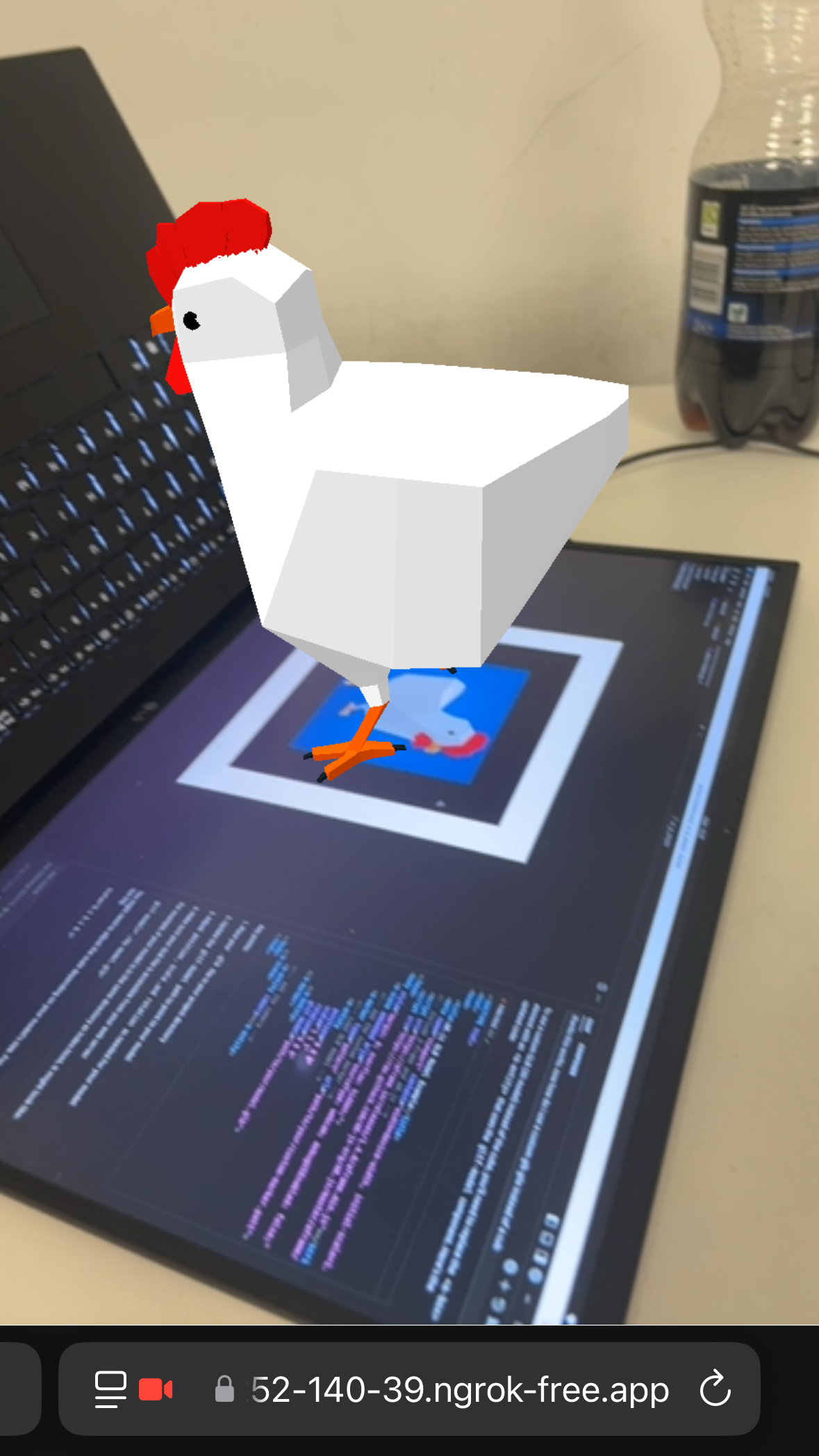
This project began during the early mainstream adoption of Cursor AI. With my one-month free trial, I decided to test its capabilities by challenging it to create a WebXR experience. Starting with a simple GLB model of a chicken from poly.pizza and a blank index.html file, I asked Cursor to generate an AR experience.
The AI suggested several technology combinations:
- A-Frame with WebXR
- A-Frame with AR.js
- Three.js with WebXR
- Three.js with AR.js
Each combination paired a 3D rendering library with an AR framework. After experimenting with all options, I discovered that while WebXR experiences wouldn’t function properly in my testing environment, A-Frame combined with AR.js produced the most elegant solution with remarkably few lines of code.
Initial Prototype: The Chicken Demo
The initial proof-of-concept was surprisingly simple yet powerful. Here’s the complete code that demonstrates marker-based AR with A-Frame and AR.js:
<!DOCTYPE html>
<html>
<head>
    <title>AR.js GLB Model Example</title>
    <meta name="viewport" content="width=device-width, initial-scale=1.0">
    <!-- Include A-Frame and AR.js -->
    <script src="https://aframe.io/releases/1.4.0/aframe.min.js"></script>
    <script src="https://raw.githack.com/AR-js-org/AR.js/master/aframe/build/aframe-ar.js"></script>
</head>

<body style="margin: 0; overflow: hidden;">
    <a-scene embedded arjs="sourceType: webcam; debugUIEnabled: false;">
        <!-- Add the custom marker -->
        <a-marker preset="hiro">
            <!-- Load GLB model with rotation animation -->
            <a-entity position="0 0 0" scale="0.01 0.01 0.01" rotation="0 0 0"
                      gltf-model="./Chicken.glb"
                      animation="property: rotation;
                                to: 0 360 0;
                                dur: 3000;
                                easing: linear;
                                loop: true">
            </a-entity>
        </a-marker>
        <!-- Add the camera -->
        <a-entity camera></a-entity>
    </a-scene>
</body>
</html>
Key Technical Components
This minimal implementation showcases several important concepts:
- Marker-based tracking: Uses the built-in “hiro” marker pattern for reliable object detection
- 3D model rendering: Loads and displays GLB/GLTF models directly in the browser
- Real-time animation: Implements smooth 360-degree rotation using A-Frame’s animation system
- Camera integration: Accesses device camera for live AR overlay
The development workflow was remarkably simple: run npx live-server locally, then use ngrok http 8080 to make it accessible on mobile devices for testing.
Iterative Development and Experimentation
The simplicity of this initial implementation was eye-opening. With just a few dozen lines of code, I could place a 3D model onto a tracking marker and have it rotate continuously. The rapid prototyping workflow using live-server and ngrok made mobile testing seamless.
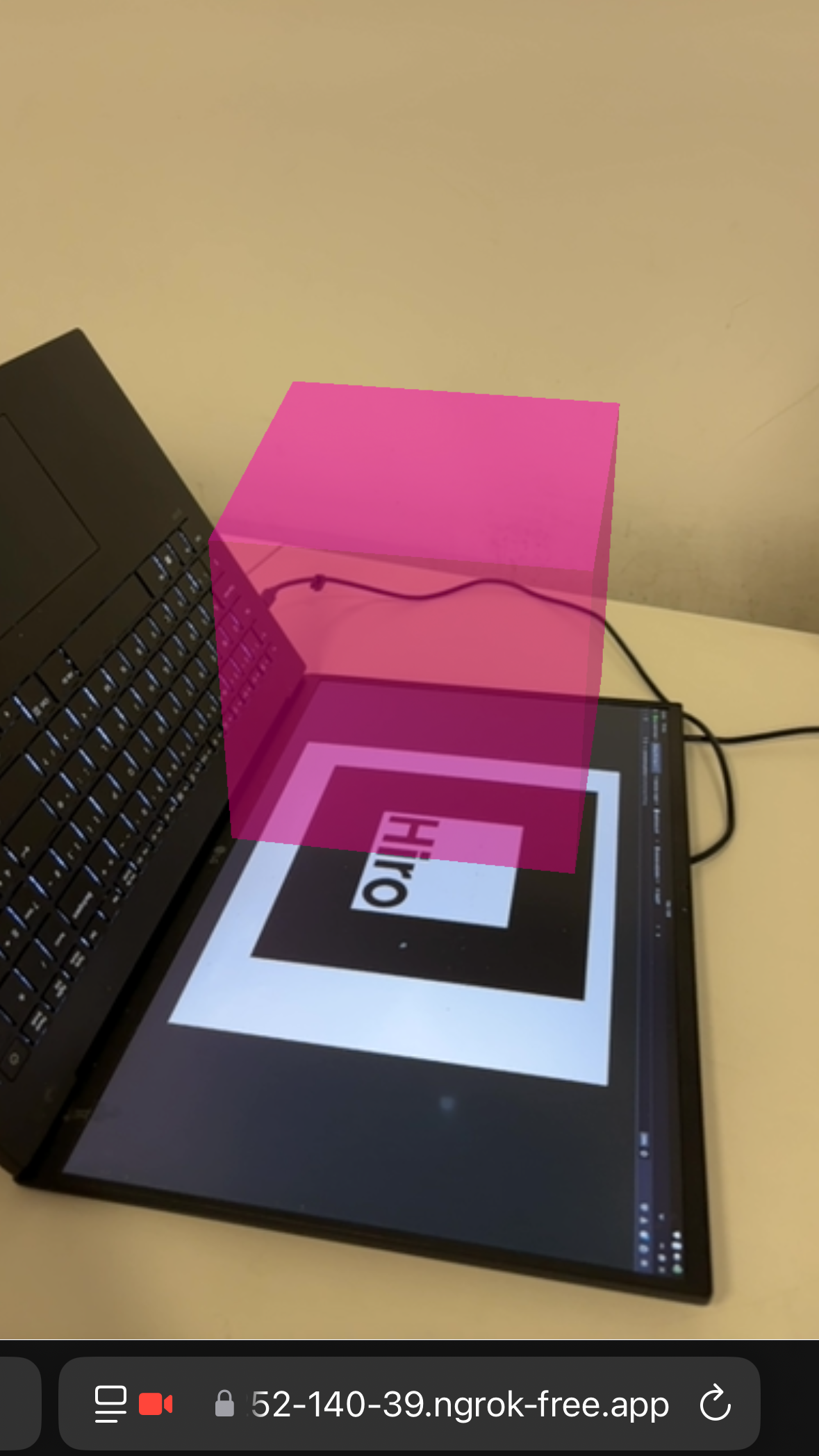
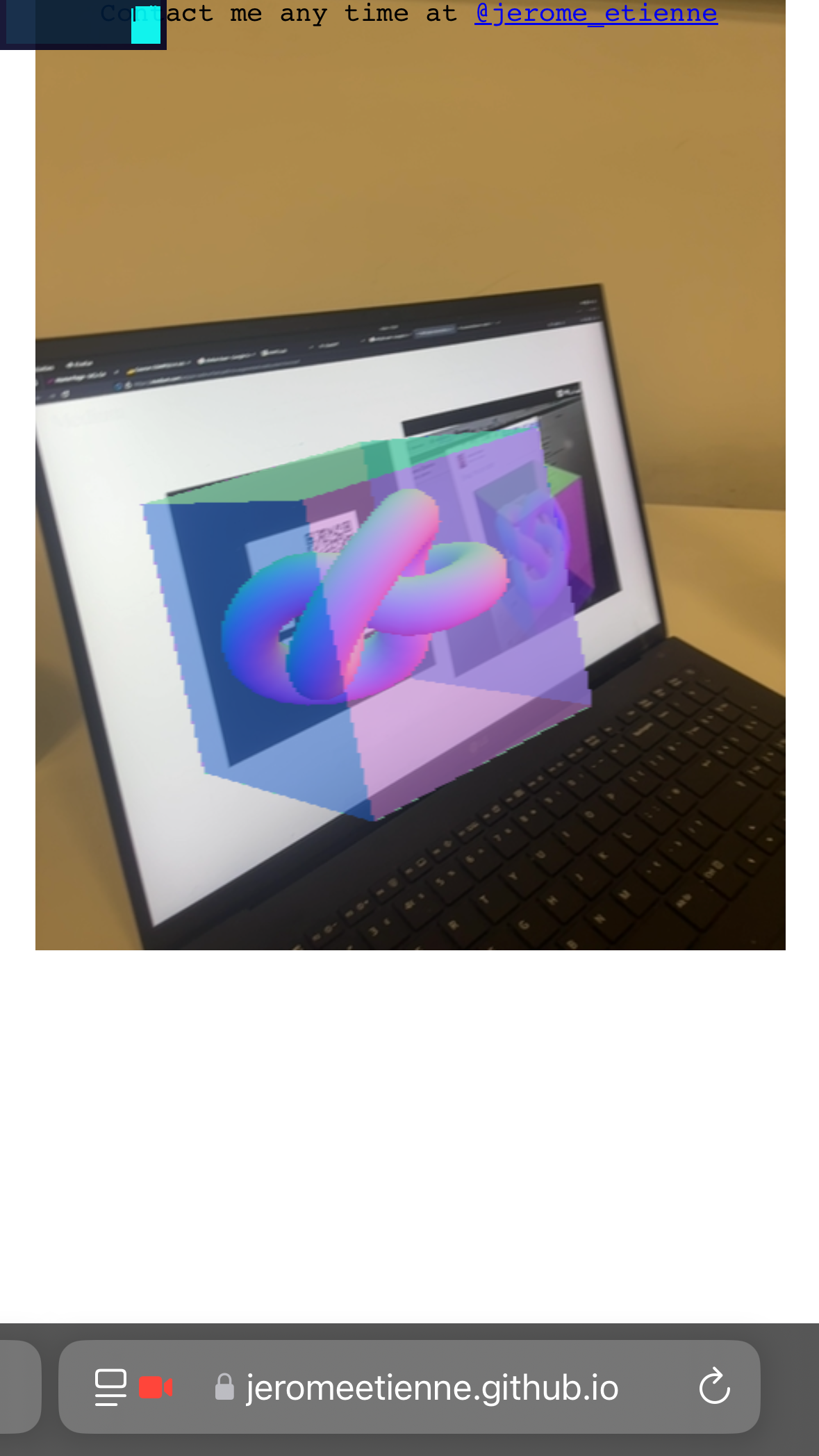
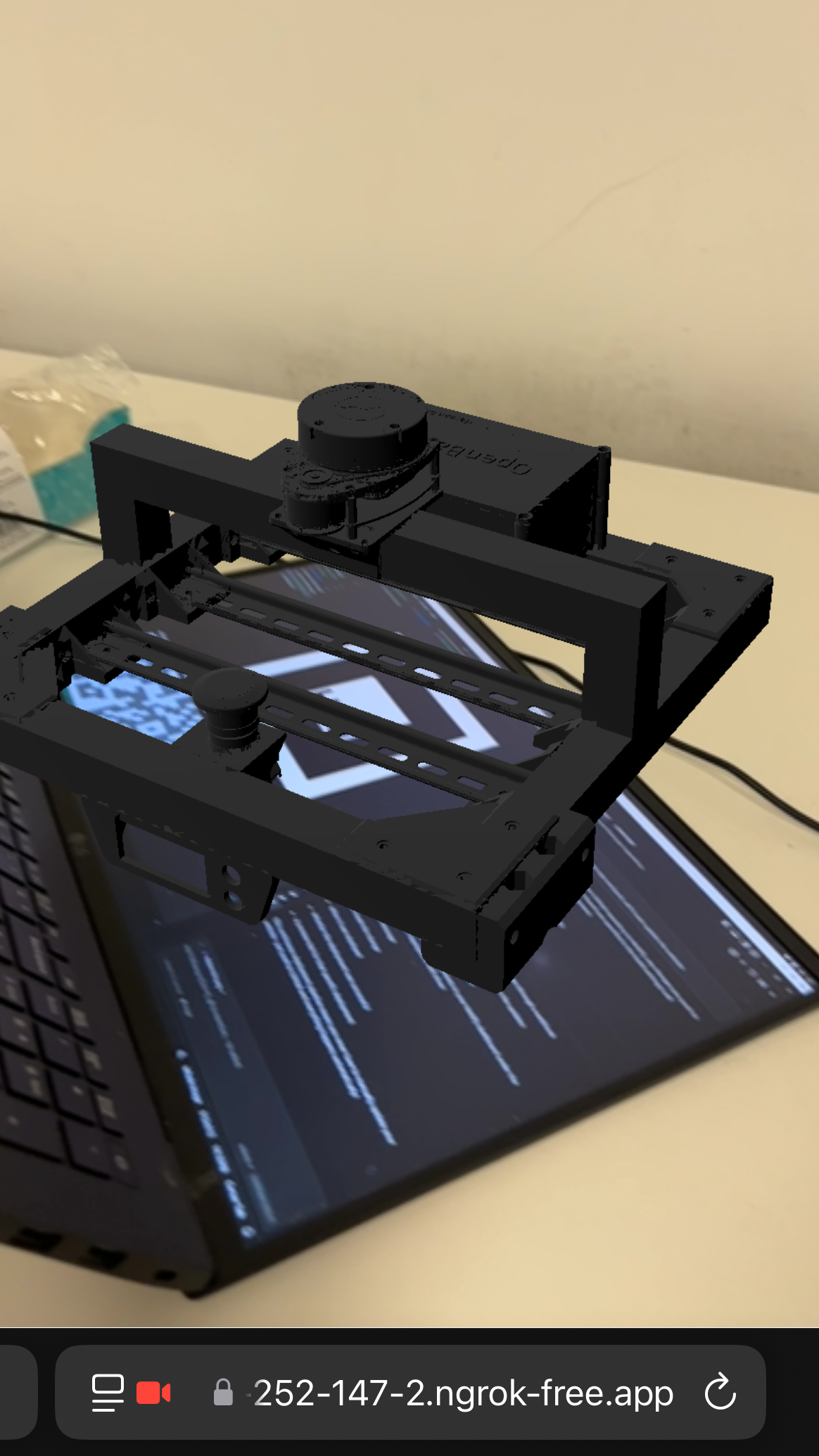
After experimenting with different models and fine-tuning various parameters, I achieved more refined results:
Building the Complete AR Business Card
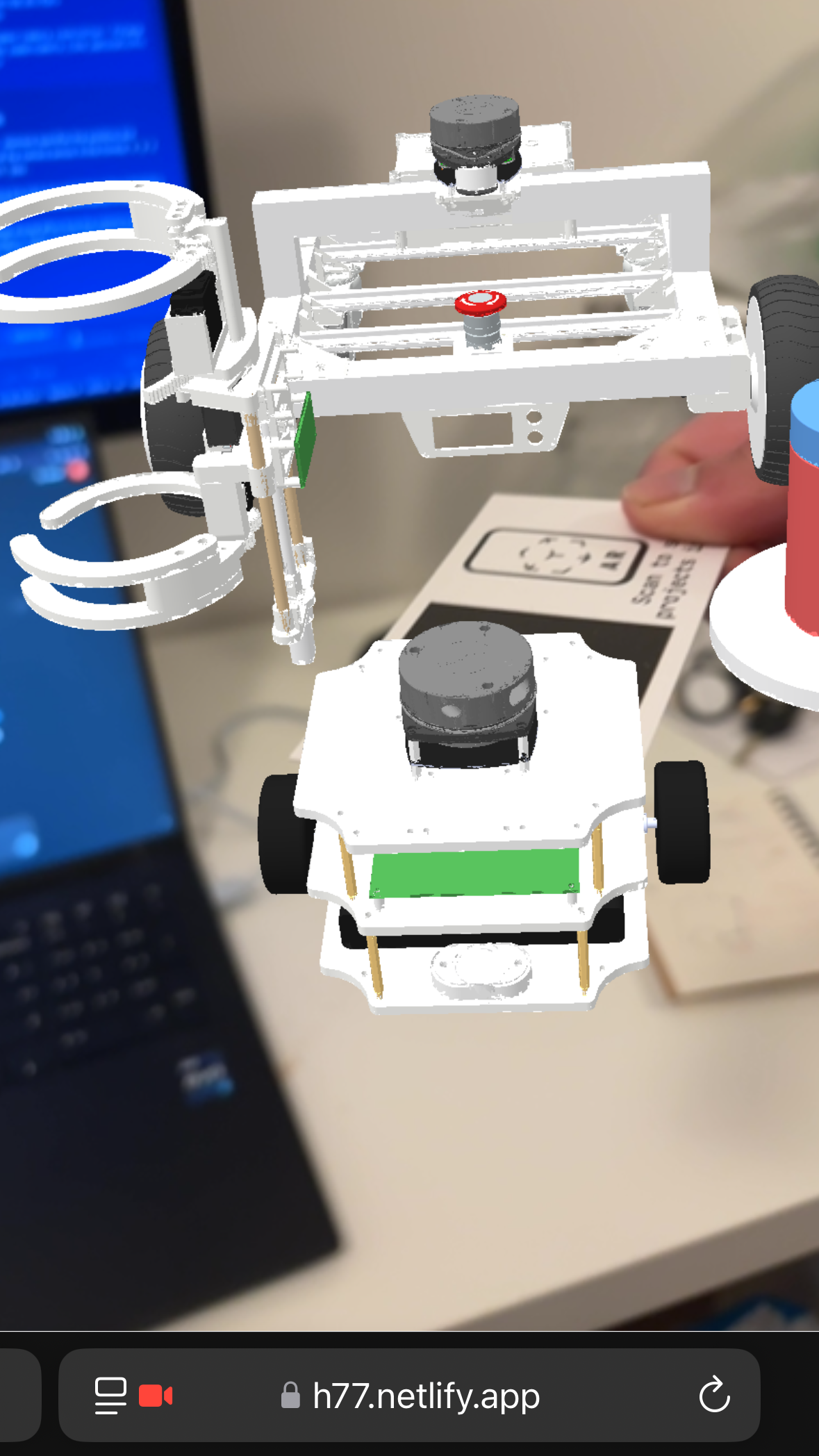
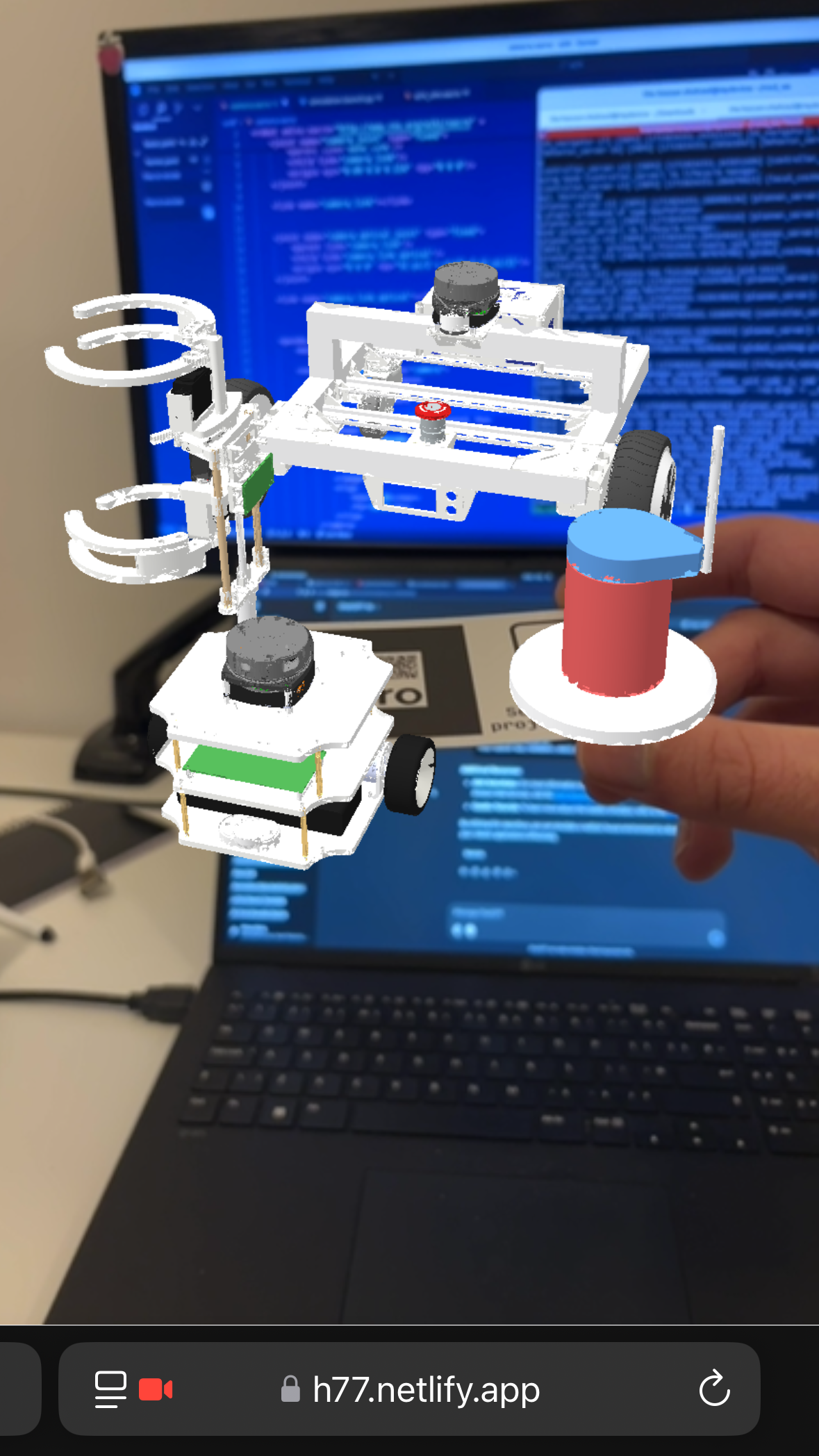
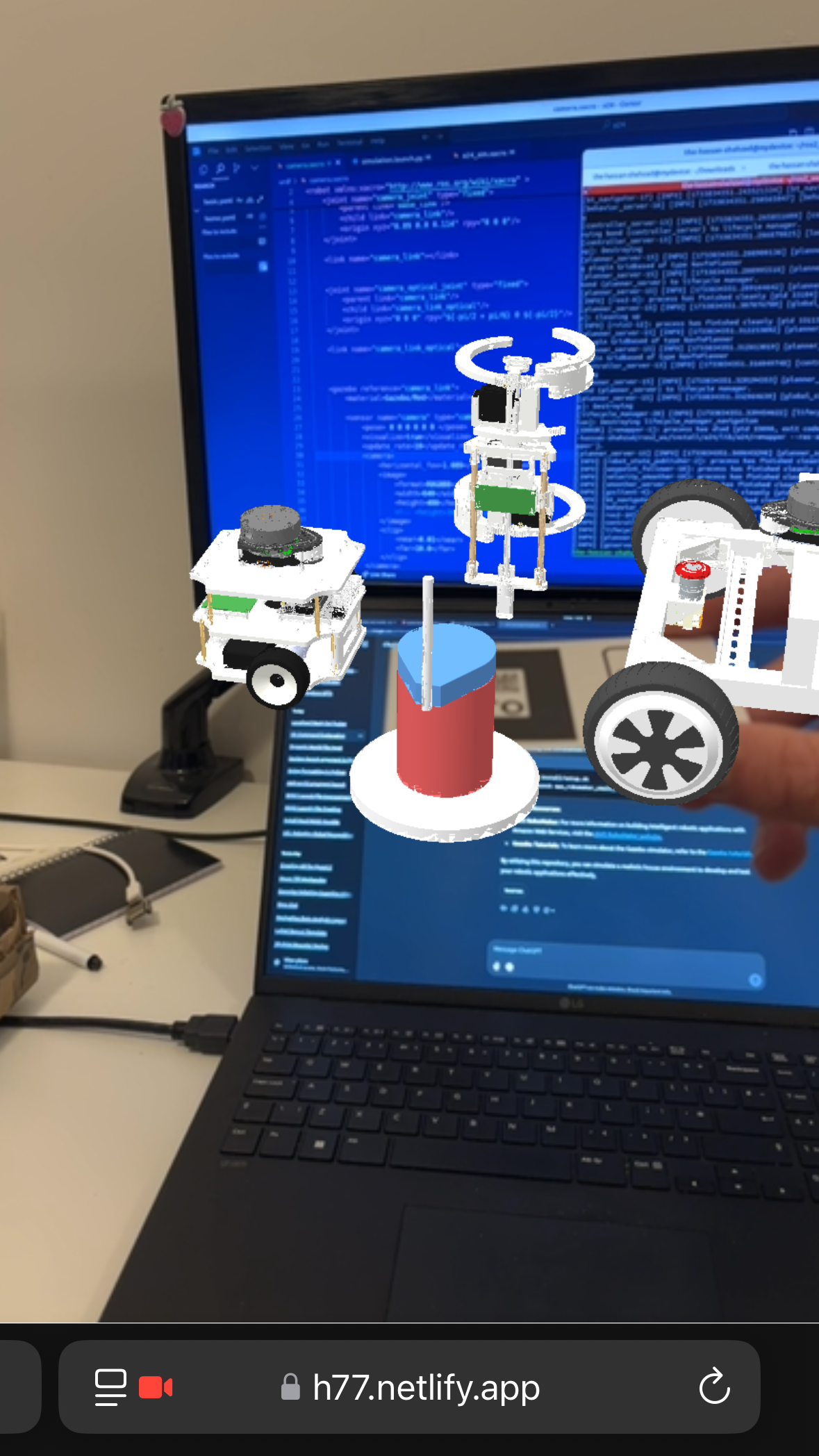
After validating the core AR functionality with simple models, I decided to create something more meaningful - an interactive showcase of my robotics portfolio. Using Blender, I compiled 3D models from various robotics projects into a single, cohesive AR experience.
Featured Robotics Projects
The AR business card showcases four distinct robotics projects, each representing different aspects of my engineering journey. You can explore all my robotics work at hassan-xr.com/projects:
1. OpenBase2
A Robust Low-Cost Autonomous Robot built from a Hoverboard
An open-source ROS2-powered heavy-duty mobile robot platform built around repurposed hoverboard/Segway motors. This project demonstrates expertise in:
- ROS2 ecosystem integration
- Motor control and power management
- Mechanical design for robust outdoor operation
2. A24
An Open Source Autonomous SLAM robot for teaching and research
A cost-effective, scratch-built alternative to commercial TurtleBots, designed for educational and research applications. Built with ROS2, Nav2, and slam_toolbox, featuring:
- Custom PCB design and embedded systems
- Autonomous SLAM navigation
- Open-source hardware and software for education
3. Furuta Pendulum
LQR control of a Furuta Pendulum in Gazebo
A self-balancing inverted pendulum system developed for academic coursework, showcasing:
- Linear Quadratic Regulator (LQR) control implementation
- Gazebo simulation environment
- Real-time feedback control systems
4. TreeRunner
A Tree Climbing robot capable of Branch Avoidance
A specialized tree-climbing robot designed for a competitive engineering challenge, featuring:
- Bio-inspired locomotion mechanisms
- Branch avoidance navigation algorithms
- Custom mechanical solutions for vertical navigation
Final Implementation
The production version of the AR business card incorporates all the robotics models into a single, optimized experience:
<!DOCTYPE html>
<html>
<head>
    <title>AR Business Card - Hassan Shahzad</title>
    <meta name="viewport" content="width=device-width, initial-scale=1.0">
    <!-- Include A-Frame and AR.js -->
    <script src="https://aframe.io/releases/1.4.0/aframe.min.js"></script>
    <script src="https://raw.githack.com/AR-js-org/AR.js/master/aframe/build/aframe-ar.js"></script>
</head>

<body style="margin: 0; overflow: hidden;">
    <a-scene embedded arjs="sourceType: webcam; debugUIEnabled: false;">
        <!-- Hiro marker for consistent tracking -->
        <a-marker preset="hiro">
            <!-- Optimized composite robotics model -->
            <a-entity position="0 0 0"
                      scale="5 5 5"
                      rotation="0 0 0"
                      gltf-model="./ar_card_1.glb"
                      animation="property: rotation;
                                to: 0 360 0;
                                dur: 6000;
                                easing: linear;
                                loop: true">
            </a-entity>
        </a-marker>
        <a-entity camera></a-entity>
    </a-scene>
</body>
</html>
Technical Improvements
The final implementation includes several key optimizations:
- Increased scale (5x) for better visibility and detail of the robotics models
- Slower rotation (6 seconds) to allow viewers more time to examine each project
- Optimized model file (
ar_card_1.glb) containing all four robotics projects - Enhanced marker tracking for improved stability across different lighting conditions
GLB Optimization
The raw file i got by itself was about 50MB. This is obvisouly too large for a website to load and then render. I needed to optimize this. To do so i used https://gltf.report and used draco optimization. Tutning the total file down to less than 10 MB
Deploying it
Deploying the file was done with netlify. Ive since this project - used it extensively. Its very wasy to deploy websites and test MVPs. If the MVP works i can purchase a custom domain and ammend the DNS that way. Super useful tool.
Final Results and Demonstration
The completed AR business card successfully demonstrates the power of web-based AR for interactive portfolio presentations. The experience seamlessly blends digital and physical worlds, allowing viewers to explore my robotics projects in an engaging, memorable format.
Project Impact and Lessons Learned
This project served as a pivotal learning experience in several key areas:
- Web AR Development: Mastered the fundamentals of marker-based AR using A-Frame and AR.js
- 3D Asset Optimization: Learned critical techniques for web-ready 3D model compression
- Cross-platform Deployment: Gained experience with modern web deployment workflows
- Interactive Portfolio Design: Explored innovative ways to showcase technical projects
Try It Yourself
Interested in creating your own AR business card? Check out the resources that made this project possible:
- View the source code - Complete implementation with all files
- Explore my other robotics projects - See what inspired this AR showcase
- A-Frame Documentation - Learn about web-based VR/AR development
- AR.js Resources - Master marker-based AR for the web